Earn with Fileice

Showing posts with label iPhone or iPad. Show all posts

Tuesday, 29 March 2016

Digital Technology's Side effects !!

by Hackers Squadron  |  in Windows Tricks at  14:46

Getting a good night's rest is about more than just going to bed at an appropriate time.
It's also about arranging your evening so that it's not stressful or stimulating in a way that can make it hard to fall and stay asleep.
We know: It's easier said than done.
To help you out, we've rounded up seven common behaviors that can ruin your rest -- plus what you can do instead.

1. Don't use any kind of digital technology.
A growing body of research suggests that staring at the blue and white light emitted from digital screens prevents your brain from releasing the hormone melatonin, which lets your body know when it's time to hit the hay. So it becomes harder to fall and stay asleep.
Take a tip from Arianna Huffington, cofounder and editor of The Huffington Post, who's banned electronics from the bedroom and reads a hard copy book before going to sleep.

Thursday, 4 February 2016

iPhone and iPad tips

by Hackers Squadron  |  in Mac OS at  12:00
This time we have a list of 40 best unknown iPhone and iPad tips and trick for you to impress your friends, family or go up from newb level to being the real pro.
1. See Numeric Value Of Your Cell Reception
Numeric Value of Cell reception
Now, this trick is fantastic if you want to impress your friends or family. These steps will allow you to access your cellular data that normally you would not be able to access. Things like closes cell towers near you, numeric value of cell reception, information about your SIM car etc.
How-To: To do this, go to Phone.app. Copy this combination of characters and numbers: “*3001#12345#*”, without quotes. Paste it in your Phone.app and dial up. This will launch special secret application, Field Test. Apple definitely does not want you to know about this.

2. Highlighting Typed Text With One Tap

If you find yourself in need to quickly delete the text you just typed up for some reason, here is a useful to trick to this this with just two taps.
Highlight all text iOS

12 Secret iPhone Hacks

by Hackers Squadron  |  in Mac OS at  11:38

12 Secret iPhone Hacks 

(that even Experts don't know about)


secret iphone hacks

Think you know the full power of your iPhone?

Think again.

Most people don't realize how crazy powerful their iPhones are.
And many never bother with the handy (and secret) hacks that make the iPhone even cooler!
I'm not talking about popular stuff -- like customizing backgrounds or playing video games from the '90s.
Nah, the secret iPhone hacks I'm talking about (and the ones I list below) are actually useful.
And they'll make your iPhone experience better than you ever dreamed.

5 Amazing iPhone Games

by Hackers Squadron  |  in Mac OS at  11:31


5 Amazing iPhone Games You Have to Try!

Image result for Amazing iPhone Games

A lot of us use our iPhones for productivity on a daily basis, but our devices are made to entertain as much as they’re made for productivity. That’s why I’m going to show you 5 awesome iPhone games that you need to check out for yourself!
There are a ton of different genres of games for iOS and in this list I tried to not stick to one type of game. So if you’re looking for a game to really dig your teeth into or if you’re just looking to kill some time in the DMV line, there’s something for you here. If you want a quick run down and live look at these games in action, be sure to check out the video below!

Hide stock apps in iOS 9 Tips

by Hackers Squadron  |  in Mac OS at  11:27
Find my Friends, Stocks, iBooks, Tips – these are just a few of the stocks apps that many iPhone owners have become used to seeing on their home screens for years. Apple ships all iOS devices with these stock Apple apps, in hopes that customers will find them useful. But inevitably, people would rather have the option of customizing their home screen without being beholden to unmovable apps. Well, it seems that the latest beta, iOS 9.3, actually allows you to hide stock apps — for real. 

Here’s how you will be able to hide stock apps in iOS 9

There have been all sorts of ways that people have tried to hide these stocks apps from their home screens: jailbreaking, finding glitches, and using fancy tricks. But this time around, the option is much more legit. Using Apple Configurator 2.2 beta, you can remove any stock app from your home screen. We have to shout out Redditor bfodder for posting this great tip!

Apple Configurator

Monday, 19 October 2015

AppleCare+ & Protection Plan

by Hackers Squadron  |  in Mac OS at  11:44
Whenever I hear the word, ‘Warranty’ my automatic reaction is to say, “No thanks.” Warranties usually seem to be a smart way for companies to leech your money, feeding off the fear that you may, sometime down the road, damage your device and need some assistance at a lower fee.
AppleCare, while not necessarily as devious, was created in the same vein. And while, I have used AppleCare on multiple occasions for my laptops, there are numerous reasons for wanting to get out from under an AppleCare plan. Read on to find out how you can request a refund for your AppleCare plan.

Monday, 7 September 2015

iPhone and iPad Tips

by Hackers Squadron  |  in iPhone or iPad at  13:56
This time we have a list of 40 best unknown iPhone and iPad tips and trick for you to impress your friends, family or go up from new level to being the real pro.
However, if you would like to know ever MORE about the capabilities and functions implemented into iOS8, refer to this iOS 8 Tips and Tricks book for some neat hacks and tricks that typical users never heard of before.

iPhone storage hacks

by Hackers Squadron  |  in iPhone or iPad at  13:39

iPhone storage full message

1. Find out which apps are hogging the most space

Did you know you can see which apps are taking up the most space in just a couple of taps?
Head to Settings > General > Usage, and then click Manage Storage. You'll then see the
greediest apps and can figure out if any need deleting.

Sunday, 6 September 2015

How to Sync Gmail contacts on Your iPhone or iPad

by Hackers Squadron  |  in iPhone or iPad at  11:15
Everyone wishes to have an iPhone or an iPad in their hands. This present ERA can be also called as an era of mobile phones. Oh I made a mistake guys! Well it’s the era of SMART PHONES . So many Brands to choose from; So many Models, A lot many features and much more. The market is been ruled by OS like iOS, Android and Windows. These OS’s provides a lot of feature but all have their unique way of making this. But it’s something kind of special to use iOS which is only made for APPLE devises. Its has many features make people love.
When one gets a new cellular device the first thing sticks to the mind is SETTING IT UP. Various changes with the device are been made by he/she using it. From adding music/videos to linking the device to various INTERNET ACCOUNTS. In the same way when you have an iPhone or a iPad you may need to SYNC GMAIL CONTACTS on your new device because Gmail contacts is a priority in everyday use.

How to Fix the “Cannot Connect to iTunes Store”

by Hackers Squadron  |  in iPhone or iPad at  11:09
It has all stuff inside. It also has a media player, media library, online radio broadcaster. Are you confused what vague this man is talking about? Nothing vague; Nothing to get confused about, I am talking about iTunes will not connect to store.
iTunes developed by Apple Inc. can be said as a full-fledged entertainment package. It has so many items that will make you a fan of it. iTunes allows the user to play, download, organize digital audio and video. Through the iTunes Store, users can buy and download music, music videos, audio books, podcasts, movie, ringtones and much more.
Sometimes times, your iPhone/iPad/iPod cannot connect to iTunes Store, App store or the Game Center. A ‘Cannot Connect to iTunes Store error ‘ shows up when you try to open iTunes. This error occurs mostly due to due to internet connectivity issues or if you’re trying to use the App Store when it’s being updated, you can try to fix the trouble on your iPhone/iPad too through the steps mentioned below.

Thursday, 25 June 2015

Dungeon Hunter 5 updated Hacktool 2015

by Hackers Squadron  |  in iPhone or iPad at  22:30
Hello Friends today we provide Dungeon Hunter 5 hack! for you  Again face the forces of evil, playing in one of the bounty hunters and trying to restore order in the country.  Therefore, we can get rid of the inconvenience by downloading on your Smartphone or tablet our hack. Dungeon Hunter 5 hack apk will give you strengthen save nerves and make that the game is a real adventure and pleasure. Join the ranks of satisfied users and share your opinion because it is very important to us.

Sunday, 10 May 2015

How To Restore iPhone

by Hackers Squadron  |  in iPhone or iPad at  12:02

How To Restore iPhone 2015

Today everyone want to secure the data that belongs to them as it can be any photos,videos,songs and any of the documents and credentials as user can’t believe on electronic device or smartphone which can be damage anytime so at that condition , what to do ? that a big issue at that time. So in this post i will tell you how to restore iphone using different methods. By this method you can regain all your data back and can resolve the issue like iphone stuck on apple logo etc, and data corruption in it. In this method we discuss the methods to restore the iphone data that you have restore earlier.

Sunday, 29 March 2015

iPhone or iPad Trick

by Hackers Squadron  |  in iPhone or iPad at  10:55
The iPhone camera roll picture thumbnail database can become corrupted and broken. This results in black/ completely operative photographs or practical and white thumbnails thumbnails but black/white photographs.


Usually this occurs when the users back-up their iPhone camera roll pictures to a computer without using iTunes, which isn't even accessible for the most popular Debian/Ubuntu/Fedora Linux supplies. Repair or is to regenerate the picture thumbnail database.

Monday, 16 February 2015

How To Unlock iPhone Passcode 2015

by Hackers Squadron  |  in iPhone or iPad at  09:41


Here is the iPhone tricks, hacks 2015 : Today i’m going to share how to unlock iphone passcode 2015, iPhone’s passcode is very good security in iPhone but sometimes you forgot your iPhone’s passcode and your phone is lost. So There are many legal & illegal  methods or ways to bypass and unlock the passcode of your iPhone. But in this post, we give you some legal methods to unlock your iPhone passcode in emergency. Unlock or Bypass Security iPhone’s passcode ways works in all type of iPhone like iPhone 6 or 6 plus, iPhone 5, 5S, 5c, as well as iPhone 4 and 4s.

Friday, 30 January 2015

Full Guide To Transfer Data from IPhone to Android ?

by Hackers Squadron  |  in iPhone or iPad at  03:32


Hello Friends Today we are sharing a cool method to transfer data from i-Phone to Android in couple of steps.So without wasting your time lets start it..............
What if I tell you now it is possible to transfer music from iPhone to android device ? I know you won’t believe but after lots of research finally I am able to send music files from my iPhone to android devices. Do you want to know how it can be done? Go through this article and start sending files to android devices from iPhone.
Let me start by giving a brief explanation on why Apple do not allow file transfer with other devices. Apple stands first when it comes to data security and Apple do not allow any third party apps and files to interact with its operating system and this is why Apple products are always safe from virus and other malwares. Well if we look at Android then they never had any restrictions on transferring of files. We can’t say it is bad feature of Android, as file transfer is the thing which we do every day and of-course we need it, but yes Android has threat to get affected from viruses. This was all about why apple do not allow file transfer but finally there are few ways to send and receive files on iOS devices! Yes that’s true and let me clear first of all that we are not dealing here with any jail breaking tweak. Like every iOS user, I also had a dream to transfer music from iPhone to Android and this what made me work hard about it. I did lots of research and tried so many ways to do it. I was knowing one way to transfer via iTunes on PC but I want to directly transfer from iPhone to Android.

Saturday, 1 November 2014

SB-Game Hacker Free Tool

by Hackers Squadron  |  in iPhone or iPad at  10:22


Hello friends today new tool for android games upload on our site/blog. its very useful tool for every android & iPhone. SBgame Hacker is the most simple and easy to modify Android game Artifact (no one). Used to change the speed of the game, modify game money, blood, score, number of props, attack, defense, magic and other parameters. Simple and practical, your game you call the shots! Biscuits brother honor products, fine little fast, free no ads, continuously updated!

[Support] Change game speed / a button to modify the game / Refine search / fuzzy search / depth search / reverse encryption engine / floating-point (decimal) / data filtering / storage & read search / edit memory / view memory address / add memory address / Auto Pause / Data Search Caps / Buffer hand from the selection.

Wednesday, 29 October 2014

11 best iOS 8 hidden features

by Hackers Squadron  |  in iPhone or iPad at  06:21
Apple boasts that iOS 8 is the biggest update ever but it isn't immediately obvious what has changed. While iOS 7 dealt with the major cosmetic upgrades iOS 8 is all about what goes on behind the scenes. There are loads of exciting new features to get to grips with and we've outlined some of the more obvious ones in our best new iOS 8 features round-up. If you're wondering what the differences are between iOS 7 and iOS 8 we've also got that covered.

Saturday, 25 October 2014

How to Unlock iPhone

by Hackers Squadron  |  in iPhone or iPad at  23:43
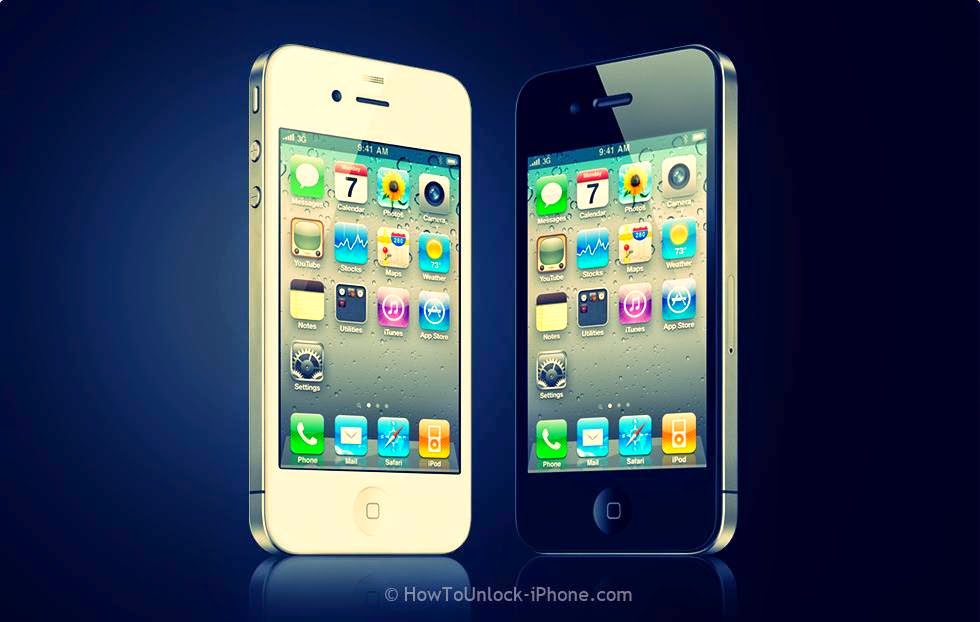
Hello friends Today, I am discuss about how to unlock i-Phone 4. If you have locked or simlock in iPhone 3G, 3GS, 4, 4s , 5, 5s, 6, 6plus by reading this post, you can unlock any iphone free of cost. This unlock is really for permanent and free of cost. If you purchase any iPhone through a carrier, chances are it comes locked to that carrier’s network, you need to unlock your iphone 4 or any. You also searches about how to unlock iphone G, 3GS, 4, 4s , 5, 5s, 6, 6plus. If you want some and decide to switch to another carrier network or use any sim on your iphone before your contract is up, want your iphone to be able to work on different carrier networks. You need to unlock your iPhone 4 or any by jailbreaking it and installing unlock software. Apple has patched that exploit little hack, and software unlocks are no longer possible. Follow these below easy methods, how to unlock iphone 4 or any 4s/5/5s/5c/6/6plus.


How to Unlock iPhone 4

1) How to Unlock iPhone Through a Carrier

  1. Contact your provider to learn about its specific unlock policy. Most major mobile providers will unlock your phone as long as your contract is finished or you've paid the early termination fee to cancel your existing plan. They also unlock your iphone 4 or any, if you are travelling to another country and need to use a local carrier there.
  2. Contact the carrier. Some companies are very happy to unlock a iphone 4 or any. Go to your desired carrier and learn what their policy is and how to unlock it.
  3. Make sure your iPhone is compatible. If you are unlocking your iphone to use another's carriers network on your iphone, make sure your desired carrier accepts your phone type.

2) How to Unlock iPhone Through a Paid Service


  1. Find a service: There are a large number of companies online that will sell you the unlock codes for your iphone for payment. These some companies circumvent current restrictions by operating in countries not covered by US law.
  2. Research your choice: Before paying any company to unlock your iphone, research any desired company as possible. Find users reviews, and ask around in iphone helping forums. Always be wary of potential scams, especially when you are paying to skirt your carrier's policies.
  3. Retrieve your iPhone’s IMEI code: Your iPhone are going to be additional to Apple’s official unbarred iphones list, which suggests it'll keep unbarred although you upgrade iOS versions. to feature the iPhone to the list, the corporate you're paying will need your phone’s IMEI (International Mobile Station Equipment Identity) code, that is exclusive to your iPhone. There square measure a handful ways that to search out this:
    -Dail *#06# on your iphone and your IMEI code will be displayed.
    -On an original iPhone 4 or iPhone 5, the number is engraved on the back near the bottom.
    -On an iPhone 3G, 3GS, 4, and 4S. the IMEI is printed on the SIM card tray.
    -In iTunes, clicking on your connected iPhone will display the IMEI code in the Summary window, beneath the iPhone’s storage capacity.
  4. Pay for the service: Oftentimes, you'll ought to wait many hours to a handful days so as to receive the unlock code. usually|this can be} as a result of these corporations often have folks operating for the carriers that offer the codes for them.
    -Be guaranteed to select all of the proper information about your device in order that you get a code that works for your phone.
  5. Activate your unlock: Once you receive confirmation that your iPhone has been unfastened, you may got to activate it before the unlock takes impact.
    *Insert the SIM card from the new carrier. If you get a proof at this step then you're done. If not, continue on.
    -If you have a jailbroken iPhone, open Settings, then General then Reset. Select Reset Network Settings, then restart the iPhone. Proceed to ensuing step.
    *Activate the iPhone. If you get asked to activate your iPhone, you'll be able to do that one amongst two ways:
    -Directly from the iPhone over a Wi-Fi affiliation
    -By plugging in your iPhone to a laptop and activating through iTunes.
    *If you continue to cannot activate your iPhone, restore it to the most recent version of iOS. If your phone is jailbroken, this may take away the breakout. when the restore method is complete, your iphone should get unlocked.
Here are some features of our solution:
  • Unlocking/Jailbreaking Software for any iPhone 5, 4S, 4, 3GS, 3G, 2G
  • Patented iPhone Unlock and iPhone Jailbreak software
  • World Class customer support for life
  • One click Unlock and Jailbreak solution
  • Use Cydia App to get tons of iphone downloads
  • Our jailbreak process uses an untethered jailbreak method!
  • Choose your own cellular network service
  • Lifetime Membership for updates and support
  • The ability to work with any SIM card
  • The ability to use your iPhone with ANY Cellphone service provider
  • Use your iPhone in any country and language
  • Compatibility with the latest 3G/3GS 6.0.1 firmware!
  • Enable GPS and RSS feeds
  • Enable SMS/MMS and Instant Messengers
  • No loss of features of functionality
  • Ability to restore your iPhone to previous iphone firmware's
  • Step by step jailbreak instructions including video tutorial
  • Comes with Installer Application
  • Reliability is GUARANTEED!
12902 Votes for Yes/ 155 For No
download

So after reading this post "How to Unlock iPhone 4 or any iPhone" and above easy methods, you are successfully  unlock your any iPhone easily. Don't forget to share !


[German] Hallo Freunde Ich bin heute zu diskutieren, wie man i-Phone 4. entsperren Wenn Sie in iPhone 3G, 3GS, 4, 4S, 5, 5s, 6, 6plus gesperrt oder Simlock haben durch das Lesen dieses Post, können Sie eine beliebige iPhone Gratis entsperren von Kosten. Dieser Unlock ist wirklich für permanente und frei von Kosten. Wenn Sie irgendeine iPhone durch einen Träger zu kaufen, stehen die Chancen, es kommt zu das ist Carrier-Netzwerk gesperrt ist, müssen Sie Ihr iPhone 4 oder einem entsperren. Sie sucht auch über das iphone G, 3GS, 4, 4S, 5, 5s, 6, 6plus entsperren. Wenn Sie einige wollen und beschließen, auf einen anderen Träger Netzwerk wechseln oder zu verwenden sim auf Ihrem iPhone vor Ihrem Vertrag ist, möchten Sie Ihr iPhone in der Lage, auf verschiedenen Trägernetzwerken zu arbeiten. Sie müssen Ihr iPhone 4 oder irgendeine von Jailbreak es und einbauen Unlock-Software freizuschalten. Apple hat gepatcht, die wenig Hack nutzen und Software-Freischaltungen sind nicht mehr möglich. Befolgen Sie diese unten einfache Methoden, wie man iPhone 4 oder irgendwelche 4s / 5 / 5s / 5c / 6 / 6plus entsperren.

[French] Bonjour les amis Aujourd'hui, je suis discuter sur la façon de déverrouiller i-Phone 4. Si vous avez verrouillé ou simlock de l'iPhone 3G, 3GS, 4, 4S, 5, 5S, 6, 6plus en lisant ce post, vous pouvez déverrouiller tout iPhone gratuit de coût. Ce déblocage est vraiment pour permanente et sans frais. Si vous achetez un iPhone par un transporteur, les chances sont qu'il vient verrouillé sur le réseau de ce transporteur, vous devez déverrouiller votre iPhone 4 ou tout. Vous recherche également sur ​​la façon de déverrouiller iPhone G, 3GS, 4, 4S, 5, 5S, 6, 6plus. Si vous voulez un peu et décidez de passer à un autre réseau de l'opérateur ou d'utiliser tout sim sur votre iPhone avant de votre contrat est en place, veulent votre iPhone pour pouvoir travailler sur différents réseaux d'opérateurs. Vous devez déverrouiller votre iPhone 4 ou un par jailbreak et l'installation de logiciels de déverrouillage. Apple a patché qui exploitent petit hack, et déverrouille les logiciels ne sont plus possibles. Suivez ces méthodes faciles ci-dessous, la façon de déverrouiller iPhone 4 ou 4s tout / 5 / 5s / 5c / 6 / 6plus.

[Russian] Здравствуйте, друзья Сегодня я обсуждать о том, как разблокировать I-Phone 4. Если вы заблокировали или Simlock в iPhone 3G, 3GS, 4, 4s, 5, 5 с, 6, 6plus читая этот пост, вы можете разблокировать любой Iphone бесплатно стоимости. Это разблокировки действительно для постоянного и бесплатно. Если вы покупаете любой iPhone через носитель, скорее всего, оно приходит заблокирован сеть, которая перевозчика, необходимо разблокировать Iphone 4 или любой. Вы также поиск о том, как разблокировать iPhone G, 3GS, 4, 4s, 5, 5S, 6, 6plus. Если вы хотите, чтобы некоторые и решили переключиться на другую сеть оператора или использовать любую сим на вашем Iphone, прежде чем ваш контракт до, хотите, чтобы ваш iphone, чтобы иметь возможность работать на различных операторских сетях. Вам нужно, чтобы разблокировать iPhone 4 или любой по джейлбрейка его и установка разблокировки программного обеспечения. Яблоко исправлена​​, что эксплуатировать небольшой хак, и разрешит программа больше не возможно. Следуйте этим ниже простыми способами, как разблокировать Iphone 4 или любые 4s / 5 / 5s / 5с / 6 / 6plus.


Tuesday, 7 October 2014

Best Cydia Apps for iOS 7

by Hackers Squadron  |  in iPhone or iPad at  04:43
Best Cydia Apps for iOS 7 : Looking for the best new iOS 7 jailbreak tweaks ? Check out these Best Cydia Apps compatible with iPhone 4,4s,5,5s,5c, iPad and iPod. Those of you that jailbreak their iPhone do it for one main reason – to customize it in ways that Apple doesn’t allow. There are thousands of different cydia tweaks, apps, mods and themes for a jailbroken iPhone device, some of which are pretty as well as bad.Here are the top 10 best cydia apps for the iOS 7.

Monday, 6 October 2014

MADDEN NFL 25 HACK TOOL

by Hackers Squadron  |  in iPhone or iPad at  22:53


Welcome all all my sweet friends the NFL football fans!!!  We are sure that you very like MADDEN NFL 25 game, just as we. So my team upload a new updated hack-tool Unfortunately, we are also sure that you have had enough of spending money on additional COINS and CASH. Fortunately, our team has proved to be smarter than programmers of MADDEN NFL 25. We used a few special tricks and we broke one of the EA Sports server security codes. Our hard work resulted in writing a script that allows adding unlimited COINS and CASH completely free of charge. It may seem unbelievable, but we are a young and willing to work team, that will not hesitate taking any challenges. Now we invite everyone to test the newest work of our software developers – MADDEN NFL 25 HACK TOOL. Don’t waste your money, and say “NO” to micro payments in-game. Download now MADDEN NFL 25 HACK TOOL and get unlimited and free COINS ans CASH.

Proudly Powered by Hackers Squadron.